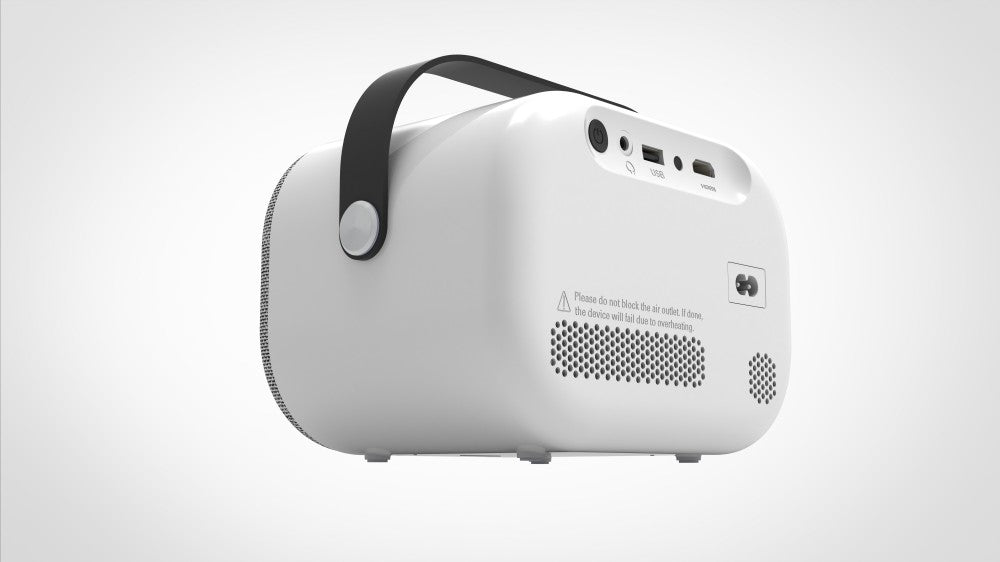
SUN700 | Go pro option
SUN700 | Go pro option
Sun 700 Go Pro OEM Home Entertainment High Brightness | Volto Projector
Real Brightness: 300 ANSI
Support Resolution:4K
Contract Ratio: 10000:1
Storage:1+8G
Bluetooth: BT5.4
Operating System:Android 13

Enjoy Big Screen Wherever

Suitable for a Variety of Usage Scenarios

Wireless Screen Mirroring

Full Smart System Inside

Play Game on the Big Screen
Product Specifications
| General | |
|---|---|
| Model Name | VOLTO projector Sun 700 |
| Native Chip Resolution | 1920*1080 |
| Display System | 3.5''LCD |
| Projection Distance | 4ft-20ft/1.1-4.5Meter(s) |
| Throw Ratio | 1.25:1 |
| Operating System | Android 13.0 |
| USB | USB HOST 2.0*1 |
| HDMI (ARC) | Supports HDMI 2.0input |
| Input voltage | AC 110-240V |
| Light Source | LED RGB |
| Life Span | >50000 hours |
| Language | > 23 kinds of languaes ( English, French, Spanish, German,Italian, Polish, Romanian, Dutch, Portuguese, Chinese …… ), can add any language for large quantity |
| What's in the box | Projector +IR. Remote +Power Cord + English User Manual |